GonnaLand safe.
For students, instructors, and pilots chasing that perfect flare. A heads up display shows real-time glideslope, centerline offset, and wheels-above-ground altitude on short final. Cutting-edge computer vision and sensor fusion, running on your iPhone or iPad.
You’re on the list — thanks for your interest. We’ll be in touch.
Runs on any modern iPhone or iPad · no panel integration, no extra hardware.
Join the beta to help build the perfect pilot companion, making landings safer around the world.
Fly the approach with your eyes outside.
On-device computer vision and sensor fusion turn your phone’s camera into an approach display — no data connection, no panel wiring. No button to press in the cockpit, it all works automatically.
Live localizer
See your offset from the extended centerline in feet — 3 ft right, not “a little off” — and watch corrections register instantly.
Glide slope
A familiar diamond shows you above or below the runway’s published glide path — so stabilized approaches become a habit.
Wheels AGL & callouts
Altitude of your wheels above the ground, with airline-style callouts spoken straight into your headset.
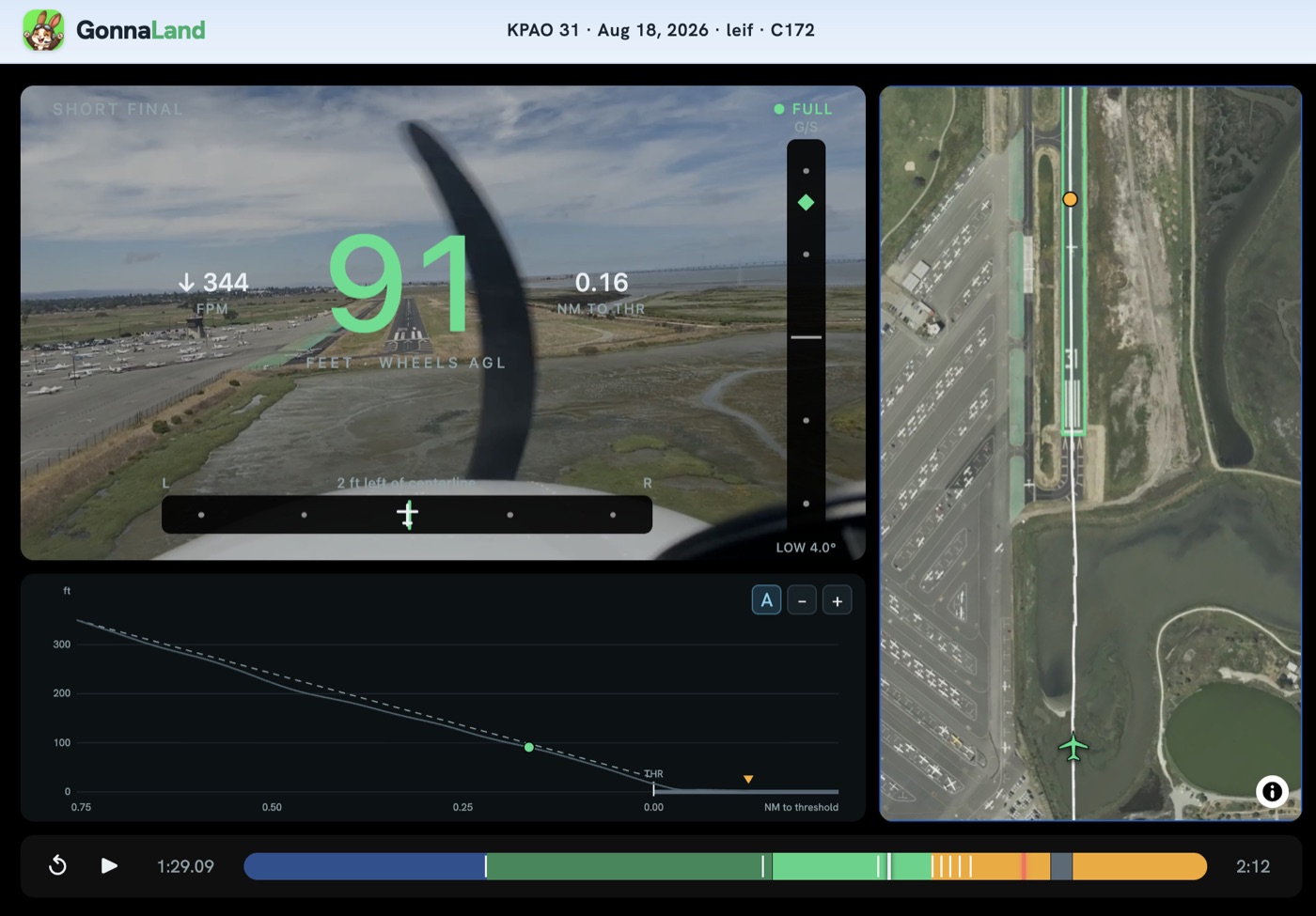
Every landing becomes a debrief.
Replay the whole approach on the ground, in any browser — video, needles and callouts in perfect sync, beside a top-down track and the descent profile. Scrub back to the moment it destabilized and watch it again.
- Synced replay — the exact HUD you saw, frame for frame
- Top-down and profile — your ground track, and how the descent sat against the runway’s published glide path
- Touchdown — see how much you floated and exactly where you touched down
- Made for instruction — students and CFIs review the same picture
Mount your phone. That’s the install.
GonnaLand runs on any modern iPhone or iPad mounted in the windshield with the camera pointed at the runway. No panel integration, no subscriptions to a box in your avionics stack.
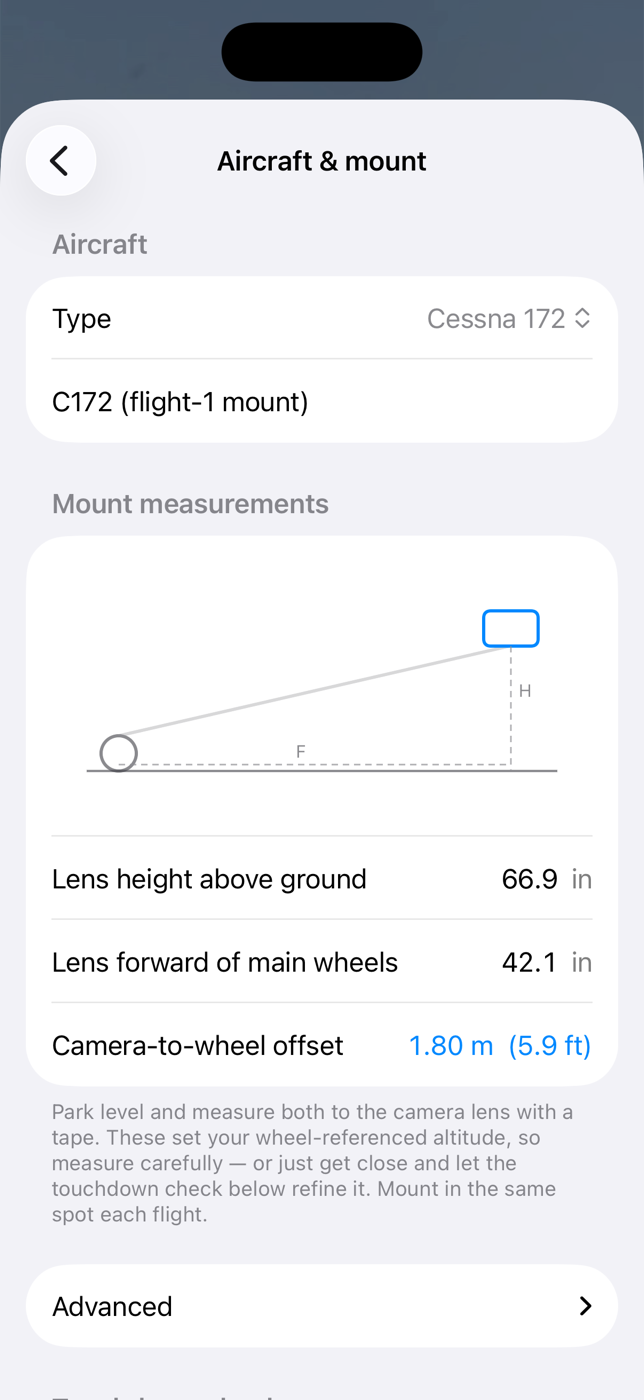
- 1Mount it once — tell the app your aircraft and mount position so wheels-AGL is measured from your wheels
- 2Fly the approach — guidance appears when a runway is identified, callouts play into your headset
- 3Debrief on the ground — recordings are waiting, organized by approach

Your next landing is gonna be your best.
For students, instructors in the right seat, and pilots chasing the perfect flare.
Advisory only. Eyes outside, always.
GonnaLand is a situational-awareness aid. It is not certified equipment. It is not for navigation. It is never a substitute for looking outside, your training, or your judgment as pilot in command.